
Singapore is hard on computers. Rooms without aircon often sit around 30°C, relative humidity is usually high all year, and fine dust from open windows and corridors finds its way into every fan. A gaming PC that runs cool in a European review can run hot, loud or slower here.
The good news: you don’t need anything exotic. A sensible case, clean filters and a few habits keep most PCs healthy for years. Here’s what actually matters.
The short answer
Normal Singapore humidity won’t damage a PC that is switched on and used regularly. The real risks are heat, dust and condensation. Heat makes parts slow themselves down. Dust blocks airflow and makes heat worse. Condensation can happen when a cold PC meets warm, wet air.
Keep air moving through the case, clean the filters often, and avoid sudden cold-to-hot changes. That covers most problems.
Can humidity damage a PC?
Humid air on its own isn’t the danger. Water only causes trouble when it condenses into droplets on cool surfaces. A running PC is warmer than the room, so moisture doesn’t settle on the parts inside.
Where humidity does hurt is over months and years:
- Corrosion on contacts in PCs that sit switched off for long periods, for example in a storeroom.
- Dust plus moisture forms a sticky layer that clings to fins and fans and is harder to blow out.
- Mould on peripherals, cables and the case if the room is damp and closed up for weeks.
So the simple rule is: a PC that’s used often is in a better position than one left unused in a damp corner.
Watch out for condensation
This is the one humidity risk worth taking seriously. If a PC has been in a cold aircon room or car, and you carry it into warm, humid air, moisture can form on cold metal surfaces, just like on a cold can of drink.
When you move a PC, for example after collection or delivery, let it sit at room temperature for about an hour before you switch it on. Check that nothing looks damp. The same applies if you move it from an aircon bedroom to a hot storeroom and back.
Inside one room, the aircon itself is fine. Cool, dry air is good for a PC. Just don’t point the aircon blower straight at the case’s intake.
Heat: what temperatures are too hot?
Modern CPUs and graphics cards protect themselves. When they get too hot, they throttle, which means they lower their speed. You don’t usually get damage. You get lower FPS, stutter and louder fans.
Every chip has its own limit, so check the maximum temperature listed on the manufacturer’s spec page for your exact model. Many current desktop CPUs list a maximum around 95–100°C, and graphics cards usually start reducing boost clocks before that. Sitting near the limit all the time is a sign your cooling or airflow needs work.
Free tools such as HWiNFO show CPU and GPU temperatures while you game. Check them on a normal evening with the room at its usual temperature, not on the coolest day of the year.
Remember that the room sets the starting point. A cooler can only bring parts down towards room temperature. A PC in a 30°C room will always run warmer than the same PC in a 24°C aircon room.
Airflow: the case matters more than the cooler
People often focus on the CPU cooler. In Singapore, how air gets into and out of the case usually matters more.
- Pick a case with a mesh front or side intake. Solid glass or wooden fronts look clean but can starve the graphics card of air.
- Bring cool air in at the front or bottom, push warm air out at the back or top. A clear front-to-back path works better than lots of random fans.
- Use dust filters on every intake. They are what keep cleaning quick and easy.
- Set a fan curve so fans speed up under load instead of running flat out all day.
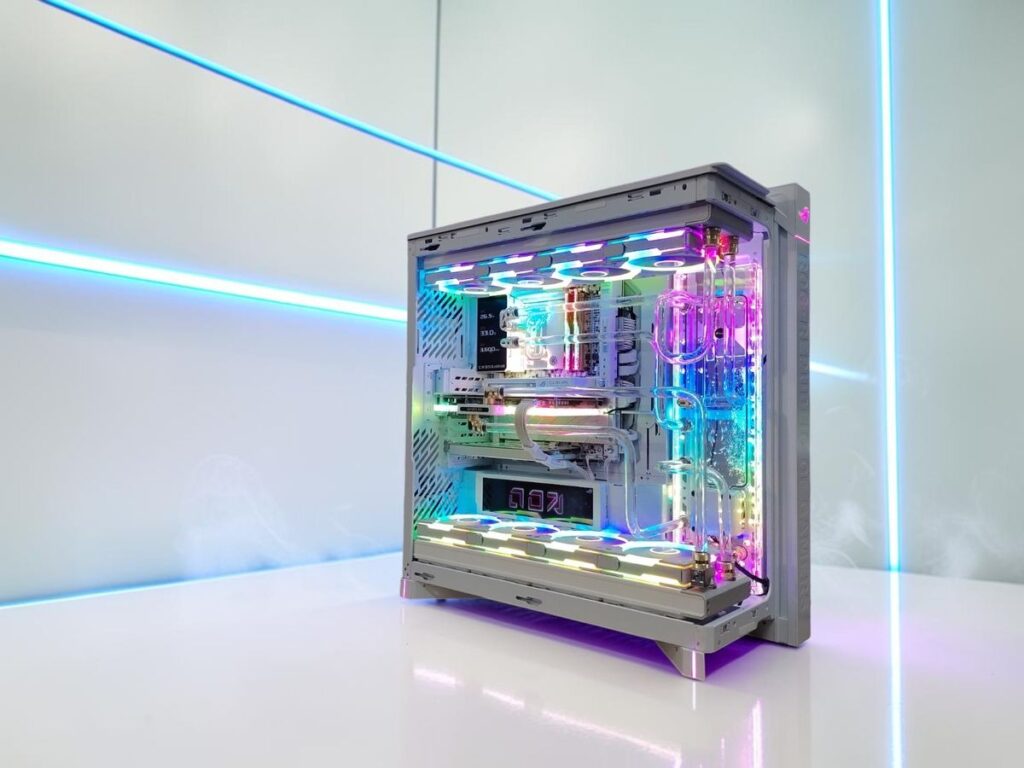
Air or liquid cooling both work here. Our guide to air vs liquid cooling for gaming PCs covers the trade-offs, and if you’re curious about the full custom route, see custom water-cooled PCs in Singapore. Compact builds need extra care, which we cover in small form factor gaming PCs in Singapore.
Where to put your PC at home
Placement is free and makes a real difference, especially in an HDB bedroom.
- Keep it off the floor if you can. Floor level collects more dust and hair, especially near a window or if you have pets.
- Leave a gap behind and above it. Around 10–15 cm lets hot air escape instead of being pulled back in.
- Avoid closed cabinets. A PC inside a closed TV console or desk cupboard reuses its own hot air.
- Keep it out of direct sun from the window. Afternoon sun can heat the case noticeably.
- Away from the kitchen where possible. Cooking oil in the air sticks to filters and fans.
How often should you clean your PC in Singapore?
With the dust and humidity here, a simple routine works best:
- Every 2–4 weeks: pull out and rinse or brush the dust filters. Let washed filters dry fully before refitting.
- Every 3–6 months: switch off at the wall, open the side panel and blow dust out of fans, the CPU cooler and the graphics card with a hand blower. Hold fans still while you do it.
- Once a year or so: check that every fan still spins smoothly, look for dust packed between heatsink fins, and check cables are firmly seated.
Homes near roads, construction or with pets may need it more often. If your temperatures creep up over a few months with no change in games, dust is the usual cause.
Avoid a household vacuum nozzle directly on parts, and never spray liquid cleaner inside the case.
Power and electrical tips for Singapore homes
Singapore uses 230V mains and UK-style Type G plugs. Use a good-quality power supply from a known brand, sized with some headroom for your parts. A quality power strip from a proper local shop is fine; avoid cheap, overloaded extension blocks behind a desk full of devices.
If you go away for a long trip, switching off at the wall is reasonable. If the room will be closed up for weeks, leaving the aircon or a dehumidifier on occasionally helps the whole room, not just the PC.
Is it OK to leave a PC on overnight?
Yes, for a healthy PC with clean filters, leaving it on overnight for a download or update is fine. Modern parts idle at low power. Sleep mode is also fine for daily use.
The things to avoid are running heavy loads in a hot, closed room with no airflow, and leaving it running inside a closed cabinet. If you leave it on often, keeping filters clean matters even more.
When heat means it’s time to upgrade
Sometimes the issue isn’t cleaning. An older case with a solid front, a tired power supply or a cooler that was always too small can keep a PC hot no matter what you do. Moving the parts into a better-ventilated case is often enough. If the parts themselves are old, it may be worth reading whether to upgrade or replace your gaming PC, and how PC trade-in works in Singapore (up to S$500 trade-in value).
If you’re planning a new build, ask any builder how they choose a case and fans for Singapore rooms. It’s one of the questions worth asking a PC builder in Singapore before you pay.
FAQ
Can humidity damage a PC?
Normal Singapore humidity rarely harms a PC that’s switched on and used regularly, because the running parts are warmer than the air. The risks are condensation when a cold PC meets warm, humid air, and slow corrosion or mould in PCs left switched off in damp rooms for long periods.
Is high humidity bad for a gaming PC?
It mainly makes dust stickier and harder to clean, and it can cause condensation after sudden temperature changes. Clean dust filters, good airflow and regular use keep a gaming PC healthy in humid weather.
How often should I clean my PC in Singapore?
Clean the dust filters every 2–4 weeks and blow out the inside every 3–6 months. Homes near roads, construction or with pets may need it more often.
Should my gaming PC be in an aircon room?
It isn’t required, but cooler air helps parts run cooler and quieter. Without aircon, a case with mesh intakes, good fan placement and space around the PC matter more. Don’t point the aircon blower directly into the case.
Is it OK to leave my PC on overnight?
Yes. A healthy PC with clean filters can stay on overnight for downloads or updates, and sleep mode is fine for daily use. Avoid heavy loads inside a closed cabinet or a hot, closed room.
Want a PC planned for Singapore rooms?
Tell us how you’ll use it, which room it’ll sit in, and whether the aircon is usually on. We’ll suggest a case and cooling setup to suit, explain the options clearly, and keep you updated through the build. There’s no assembly fee, builds are ready within 1 day if parts are in stock, and Lalamove delivery is about S$20–30.
See our custom gaming PCs in Singapore or start from our custom PC homepage. We are at 3 Ang Mo Kio Street 62, #02-02 Link@AMK, Singapore 569139, rated 5.0 from 12 Google reviews. Delivery runs 24/7. We operate 24/7 — WhatsApp BUILD + your budget anytime.
Want this built for you?
Tell me your games or software, your monitor and your budget. Message BUILD to discuss the parts and delivery options. No assembly fee.
