
Every few weeks someone messages me with the same plan: “Just put a 5090 in, budget not an issue.” I get it. The RTX 5090 is NVIDIA’s flagship GeForce card, and it’s the card most people picture when they think “no compromises”.
But a 5090 isn’t a part you just drop into any PC. It decides your power supply, case and cooling. Here’s how I think about it, so you can tell whether it fits what you do before you spend on it.
The short answer
The RTX 5090 is worth it if you game at 4K on a high-refresh monitor with ray tracing turned up, or if you do real GPU work like local AI, 3D rendering or heavy video editing where 32GB of VRAM changes what you can do.
If you mainly game at 1440p, or you want 4K but are happy to lean on DLSS, an RTX 5080 or 5070 Ti is usually the better fit. You’ll have a smaller, cooler, quieter PC, and the rest of the build can be just as good.
The RTX 5090 numbers that actually matter
Straight from NVIDIA’s RTX 5090 spec page, these are the figures that change how I plan the rest of the build:
- 32GB of GDDR7 memory on a 512-bit bus. That’s double the 16GB on the RTX 5080 and RTX 5070 Ti.
- 21,760 CUDA cores, NVIDIA’s Blackwell architecture.
- 575W total graphics power, with 1000W listed as the required system power.
- Power input: one 600W PCIe Gen 5 cable, or four PCIe 8-pin cables through the adapter in the box.
- Founders Edition size: 304 mm long, two slots thick. Partner cards vary in size, so we check the exact model.
- Three ninth-gen NVENC encoders and two decoders, which matter for video work.
The 575W figure drives most of my decisions.
Who the RTX 5090 is really for
4K high-refresh gamers. If you’ve got (or want) a 4K monitor at 144Hz, 240Hz or higher and you like path tracing and max settings, this is the card built for that. TechPowerUp’s review put it simply: it’s the card you want for 4K at maximum settings with ray tracing on.
People running AI locally. For local LLMs and image models, VRAM is usually the wall you hit first. 32GB lets you keep bigger models or bigger batches on the card. I go deeper into this on my AI workstation page, because the right answer depends on the model sizes you actually run.
3D and rendering work. GPU renderers love CUDA cores and memory. Large scenes that don’t fit in 16GB are a real reason to step up.
Video editors. Three NVENC encoders help with exports in apps like DaVinci Resolve and Premiere Pro. For creator and render builds, see my workstation PC page.
Who should get a 5080 or 5070 Ti instead
This is the part I’d rather tell you now than after you’ve paid.
You game at 1440p. At 1440p, reviewers found the 5090 is often held back by the CPU, even with the fastest gaming processors. You’re paying for performance you can’t see.
You want 4K but you’re fine with DLSS. Both the RTX 5080 and 5070 Ti come with 16GB and support DLSS 4. I compared the 5070 Ti with AMD’s closest rival in my RTX 5070 Ti vs RX 9070 XT guide, and my VRAM guide explains how much memory games really use.
You want a quiet, compact PC. NVIDIA rates the 5080 at 360W and the 5070 Ti at 300W, against 575W for the 5090. Less heat means a smaller case, quieter fans and an easier time in a warm room.
Plan your build with me on WhatsApp
A quick word on supply
RTX 5090 cards have been hard to find in late 2026. In October 2026, an NVIDIA executive said the 5090 has not been discontinued but admitted supply is constrained. So if you want one, I’ll tell you honestly which cards I can actually get when you’re ready, and if a 5080 fits you just as well, I’ll say so.
Power: PSU sizing and the 12V-2×6 connector
NVIDIA lists 1000W as the required system power for the 5090, based on a PC with a Ryzen 9 9950X, and recommends a PCIe CEM 5.1 compliant PSU. I don’t just copy that number. I size the power supply from your actual CPU and parts, with headroom.
The bigger thing is the connector. The 5090 takes its power through a single 16-pin 12V-2×6 connector, and at 575W it runs close to the 600W that connector is rated for. Tom’s Hardware has written about connectors still melting on high-power cards. Here’s how I handle it:
- A native cable from a quality PSU, not a stack of extensions and adapters.
- The plug pushed in fully and sitting flush, which is NVIDIA’s own instruction.
- No tight bend right at the plug. I route the cable so the side panel doesn’t press on it.
At home, the PC plugs into a normal 230V wall socket with a 13A three-pin (Type G) plug. Use the power cable that comes with the PC and plug it straight into the wall or a proper power strip with the SAFETY Mark, not a cheap travel adaptor.
Case clearance and airflow
A 575W card dumps a lot of heat inside the case. So I check three things before anything else: the length and thickness of the exact card model, space for the power cable without bending it hard, and a clear path for cool air in and hot air out.
5090s from different brands aren’t the same size, so “fits a 5090” on a case box means little until we match the exact card. Glass-heavy cases with weak intake are the ones I’m most careful with. Planning something compact? Read my small form factor PC guide first.
Cooling in Singapore’s heat and humidity
A PC can only cool itself with the air it’s given, so a 5090 in a bedroom without aircon will run hotter and louder than in an aircon room. I wrote a full guide on keeping a gaming PC cool in Singapore heat and humidity, covering placement, dust and cleaning.
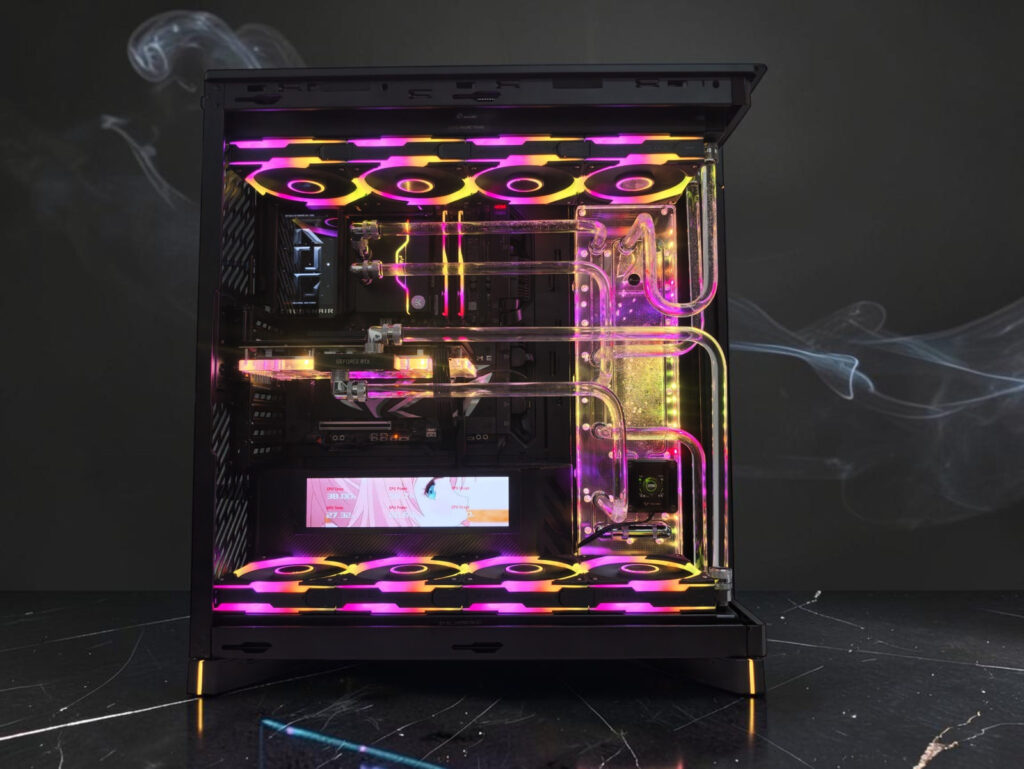
Air-cooled 5090s are fine in a well-ventilated case. Some brands also make liquid-cooled versions. If you want the quietest, cleanest-looking build, a custom water-cooled PC is where a 5090 really shines, but it’s a choice about noise and looks, not a must.
CPU pairing: 4K vs 1440p
At 4K the graphics card does most of the work, so the CPU matters less, as long as it’s a strong current-gen chip. At 1440p and below it flips: the CPU often becomes the limit, and reviewers saw that even with the fastest gaming CPUs out there.
If you also work on the PC, like rendering, compiling or AI, we pick the CPU for that work first, then make sure it doesn’t hold back your games.
Monitor fit
A 5090 makes the most sense with a 4K high-refresh monitor, say 4K at 240Hz. NVIDIA says the card supports DisplayPort 2.1b, up to 4K at 480Hz with DSC. Pairing it with a 1080p or basic 1440p screen wastes most of what you paid for.
How I plan a 5090 build with you
I spec every PC with you, and I build custom PCs on my own. For a 5090 build, I want to know what you play or work on, your monitor, where the PC will sit and whether noise matters. Then I suggest the type of power supply, case, cooling and CPU that suit you. I don’t post full parts lists, because the right build differs for every person.
Every PC gets a 1-day stress test before you collect it, and there’s no assembly fee. Ready in 1 day if parts are in stock. You can self-collect at #02-02 Link@AMK. My WhatsApp is open 24/7, and I’m proud of the 5.0 Google rating my customers have given me. If you’re comparing options first, my custom gaming PC page is a good place to start.
FAQ
How big a power supply do I need for an RTX 5090?
NVIDIA lists 1000W as the required system power for the RTX 5090, based on a PC with a Ryzen 9 9950X, and recommends a PCIe CEM 5.1 compliant power supply. I size the PSU from your actual CPU and parts, and I’d rather leave headroom than run a power supply near its limit.
Is an RTX 5090 overkill for 1440p gaming?
For most people, yes. At 1440p even the fastest gaming CPUs can hold the card back in some games, so you pay for performance you don’t always see. Unless you’re chasing very high frame rates on a high-refresh 1440p monitor, an RTX 5080 or 5070 Ti usually fits better.
Is 32GB of VRAM enough to run AI models locally?
It depends on the model’s size and the precision or quantisation you run it at. 32GB is double the 16GB on the RTX 5080 and 5070 Ti, so more fits on the card, but I won’t promise a specific model will run until we’ve checked its actual memory needs.
Do I need water cooling for an RTX 5090 in Singapore?
No. An air-cooled RTX 5090 works well in a case with good airflow, as long as the room isn’t trapping heat. A custom loop makes sense if you want a quieter, cleaner-looking showpiece build, not because the card needs it.
Can an RTX 5090 go into a small form factor PC?
The Founders Edition is a two-slot card that NVIDIA lists as SFF-Ready, but partner cards vary in size, and a 575W card puts a lot of heat into a small case. It can be done, but the case, power supply and airflow have to be planned around the exact card.
Thinking about a 5090?
Tell me what you’ll use it for and roughly what you want to spend, and I’ll tell you honestly whether a 5090 is the right card or whether something else fits you better.
Plan your build with me on WhatsApp
Want this built for you?
Tell me your games or software, your monitor and your budget. Message BUILD to discuss the parts and delivery options. No assembly fee.
